
Anonymity is not the same product as privacy
Nearly every browser on our private browsers page is trying to reduce how much you are tracked. Fewer cookies, fewer trackers, a fingerprint that is harder to pin down. That is privacy, and for most readers it is the correct goal.
Tor Browser is trying to do something else. It is trying to make it impossible to tell which user you are, by ensuring that you look exactly like every other person running it, and by routing your connection through three relays so that no single point in the path knows both who you are and what you asked for. Your entry relay sees your address but not your destination. The exit relay sees your destination but not your address. The middle relay sees neither.
That is a different instrument for a different problem, and the reason it belongs on this site is that a great many people install it hoping for a nicer version of the browser they already use. It is not that. It is slower, more awkward, and stricter, and every one of those properties is deliberate.
The crowd is the disguise
The counterintuitive part is that Tor Browser deliberately gives up on making your fingerprint unreadable. Websites can still read your screen size, timezone, fonts and language. The trick is that every Tor Browser reports the same ones.
Blocking values outright, which many privacy extensions do, makes you more identifiable rather than less, because almost nobody blocks them and the absence is itself distinctive. Standardising values makes you less identifiable, because you disappear into a crowd of hundreds of thousands reporting exactly what you report. Brave takes the opposite route, randomising per site so that your fingerprint never matches itself, which also works. Nothing else on the market seriously attempts either.
The consequence, which nobody puts on the download page, is that the protection only holds while you stay inside the crowd. Anything that makes your instance different from a stock instance is a hole in it.
Things that quietly break it
| What you do | Does it weaken anonymity | Why |
|---|---|---|
| Maximise or resize the window | Yes | Window dimensions become an identifying value |
| Install an extension | Yes | Alters observable behaviour and shrinks your crowd |
| Sign in to a personal account | Yes | You have simply told the site who you are |
| Raise the security slider | No | A documented setting shared with other users |
| Use a bridge to connect | No | Affects how you reach the network, not how you look |
| Open a downloaded document outside the browser | Yes | Files can fetch resources without going through Tor |
| Use Tor and a VPN together | It depends | Changes who sees what, and often adds complexity rather than safety |
The last row deserves care, because the internet is full of confident advice about it. Putting a VPN in front of Tor hides from your internet provider that you are using Tor at all, which is genuinely useful in a country where that alone attracts attention, but it moves your trust to the VPN company. Putting a VPN behind Tor is worse in most threat models and harder to get right. If you cannot articulate which of the two you are doing and why, the Tor Project’s own guidance is to use Tor Browser alone, and we agree.
Exit nodes
Traffic leaving the network passes through an exit relay operated by a volunteer, and at that point Tor’s own encryption has been peeled away. With HTTPS the operator sees the destination but not the contents. With plain HTTP the operator can read it, and can change it.
Documented cases exist of exit operators stripping HTTPS or rewriting cryptocurrency addresses in pages passing through. The Tor Project detects and removes such relays, but detection is after the fact by nature.
Onion services sidestep this completely, since the connection never leaves the network and never touches an exit at all. That is why organisations who take this seriously, including several news outlets, publish onion addresses for their submission systems.
Slow, by design
Three relays chosen from volunteer capacity across the world, and your packets travelling that path in both directions. Latency is unavoidable, and it is why our category page assigns speed no weight at all for browsers, because there is no useful comparison to make.
You will also meet a steady supply of websites that simply refuse Tor exit addresses, along with endless bot checks. This is not a fault in the browser. It is what happens when a small pool of addresses carries traffic that site operators cannot distinguish from abuse.
Streaming does not work well, banks will lock you out, and shopping sites will treat you as fraud. That is fine. None of those are what it is for.
Where the money comes from
The Tor Project is a United States non-profit funded substantially by American government grants, alongside donations. This is the standing criticism, and it is a fair thing to raise about a tool people use to evade governments.
The answer is structural rather than reassuring words. The code is open, the protocol is public, the relays are operated by thousands of unrelated volunteers rather than by any funder, and outside researchers have been attacking the design in public for twenty years. Cure53 audited it in 2021 and again in 2024. That is a stronger position than any closed product on this site can claim, including the ones with no awkward funders. Funding records for it and for every other product are on the ownership explorer.
Who should actually use it
Someone for whom being observed reaching a page is itself the danger: a journalist contacting a source, a researcher looking at material their government objects to, a person reporting something inside an organisation that can read the network, anyone in a country where a blocked site is a matter for the police rather than an inconvenience.
For everyone else, the honest recommendation is Brave or a hardened Firefox for daily use, kept entirely separate from Tor Browser, which you open for the specific sessions that need it. Mixing the two habits is how people lose the protection without noticing.
If you want to see the difference for yourself, run the browser fingerprint test in your normal browser and then in Tor Browser without touching the window. The gap is the entire argument on one page.
What we have not tested
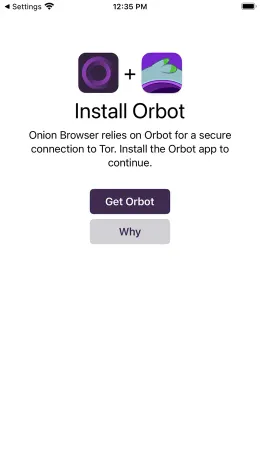
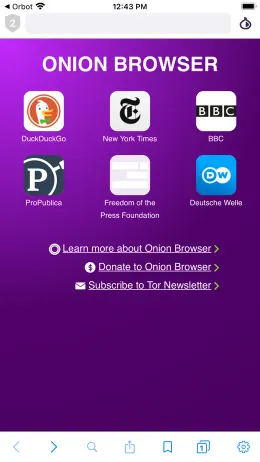
We have not run our own measurements on Tor Browser: not circuit latency, not how often sites refuse its exits across a fixed list, not the fingerprint it presents in our own test rig against a stock installation, and not the current behaviour of Onion Browser on iOS. Everything above rests on the project’s published documentation and funding reports, the Cure53 audits, and our own App Store review analysis, which for the iOS listing carries a 72 review sample of which only 3 fall in the last 90 days, far too thin to draw conclusions from. Pending scores stay pending until we have done the testing ourselves.